Account’s settings
Note
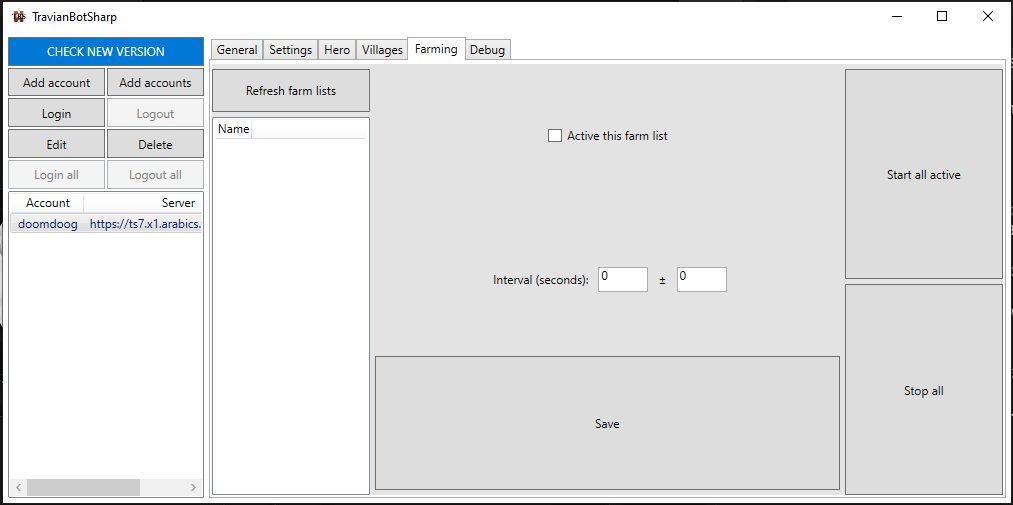
This feature only works when you click on the Start all active button TBS won’t start automatically the farming process after you login account like the old one
Scan farmlist from rallypoint
After clicking on Refresh farms list, TBS will add refresh farm list task to queue ( you can see it at Debug tab)
Note
Sometime GUI didn’t update. You can switch to another tab and go back to manually update.
Setting farmlist
Click on the farmlist you want and modify its settings
Active this farm list: active or not this farm list
Interval: interval between each farming process
Save button: When you are done with the settings, don’t forget to click the save button to save the settings.
Note
Farmlist is active will be green while inactive will be red